Download Eglantine
Desktop builds only. There is no browser build and no official phone build.
Get the files
Downloads link to the project release list. On 2026-11-07 the newest release that actually attached files was branch-nx2-experimental-efb9fb18, with 12 files. This is an experimental test snapshot: its notes say it is not a release and the next branch push replaces it. Start with the daily or numbered build unless you need a particular branch fix. The daily name daily-20261106 is from 2026-11-06. The newest numbered build with files is build-212 (2026-11-04).
I do not link repacks, “official website” downloads, or one-click archives. The readme does not name a website. build-219 exists as a tag and the release page for that tag was missing, so it is not a download.
How the twelve files differ
Windows x86_64 ships two zips. The MSVC zip is the one release notes say to use when another build has graphical trouble. The MinGW PGO zip is described as bundling its own DLLs, so that file does not ask for the Visual C++ redistributable. The handbook still says a Windows build will not launch without that redistributable. I keep both sentences: they refer to different zips.
Linux has x86_64 and aarch64. Each architecture has an AppImage, an AppImage PGO build, a tar.gz and a tar.gz PGO build. Release notes say the AppImage carries its own libraries and wants glibc 2.39 or newer (Ubuntu 24.04, Fedora 40, Debian 13, Arch). The tar.gz uses system libraries and needs Qt 6.
macOS is arm64 only, as a dmg and a zip, for macOS 15 or newer. The build is not notarized. Numbered release notes give the quarantine command xattr -dr com.apple.quarantine eglantine.app. The daily-20261106 notes cut that sentence off, so I do not quote the daily text for this step.
| Platform | Kind | File name | Size | SHA256 | Evidence |
|---|---|---|---|---|---|
| Windows x86_64 | MSVC | eglantine-windows-x86_64.zip | 115.7 MB | d50529f3164fca149a4c7c81227f56b45b1c200c9fc5ac50cfbef20a2a213203 | 1 source · project assets |
| Windows x86_64 | MinGW PGO | eglantine-windows-x86_64-pgo.zip | 68.4 MB | 55f8ebc928c5e440c8a381f7e0c71a46f93b7da71a6162acd74b6e02a1326233 | 1 source · project assets |
| Linux x86_64 | AppImage | eglantine-linux-x86_64.AppImage | 109.7 MB | d162865c4248ecf97de43d46001ba5ce92c77c468c6fcc1fa0f06b3758315128 | 1 source · project assets |
| Linux x86_64 | AppImage PGO | eglantine-linux-x86_64-pgo.AppImage | 139.1 MB | 7f714192b259ff86f9597f305e2ed47ae200d128541cbb931dbf83c2cfdb0ed8 | 1 source · project assets |
| Linux x86_64 | tar.gz | eglantine-linux-x86_64.tar.gz | 30.6 MB | ba085d9e610cf5681ec83878d88309605737f78c9b5ec5e6273882f9b66e01d5 | 1 source · project assets |
| Linux x86_64 | tar.gz PGO | eglantine-linux-x86_64-pgo.tar.gz | 24.9 MB | f48db520b6b09c41a770f561a5eca59e97a392c0d53945ff181201c2e9e7c570 | 1 source · project assets |
| Linux aarch64 | AppImage | eglantine-linux-aarch64.AppImage | 102.5 MB | 47020ce2be5c6bc8afdb9df88626b8679bf0096c6eee01573aee79e357696fa3 | 1 source · project assets |
| Linux aarch64 | AppImage PGO | eglantine-linux-aarch64-pgo.AppImage | 130.6 MB | 7280ea49c3055389a4371629dd1616d11752d79da5228e700a8ea76d4b9953ca | 1 source · project assets |
| Linux aarch64 | tar.gz | eglantine-linux-aarch64.tar.gz | 28.3 MB | 2e23d626032eb107dd27c3cd9930acc278f9ca48309dbc77e8c3297d1bb0c8cb | 1 source · project assets |
| Linux aarch64 | tar.gz PGO | eglantine-linux-aarch64-pgo.tar.gz | 23.4 MB | 3f282891af2d89f1f1c127cf543d93ae6a8ee4c08f741c9ca2532ee535460687 | 1 source · project assets |
| macOS arm64 | dmg | eglantine-macos-arm64.dmg | 83.7 MB | 387cf8d28fdb4c3213ca94ceb3bda1d96f3023e1b060e0854f76743dbb052b26 | 1 source · project assets |
| macOS arm64 | zip | eglantine-macos-arm64.zip | 75.5 MB | d6dead49d72be618b639fc7f3d2959121b64d38e304d9a83ab35c2713063e9f3 | 1 source · project assets |
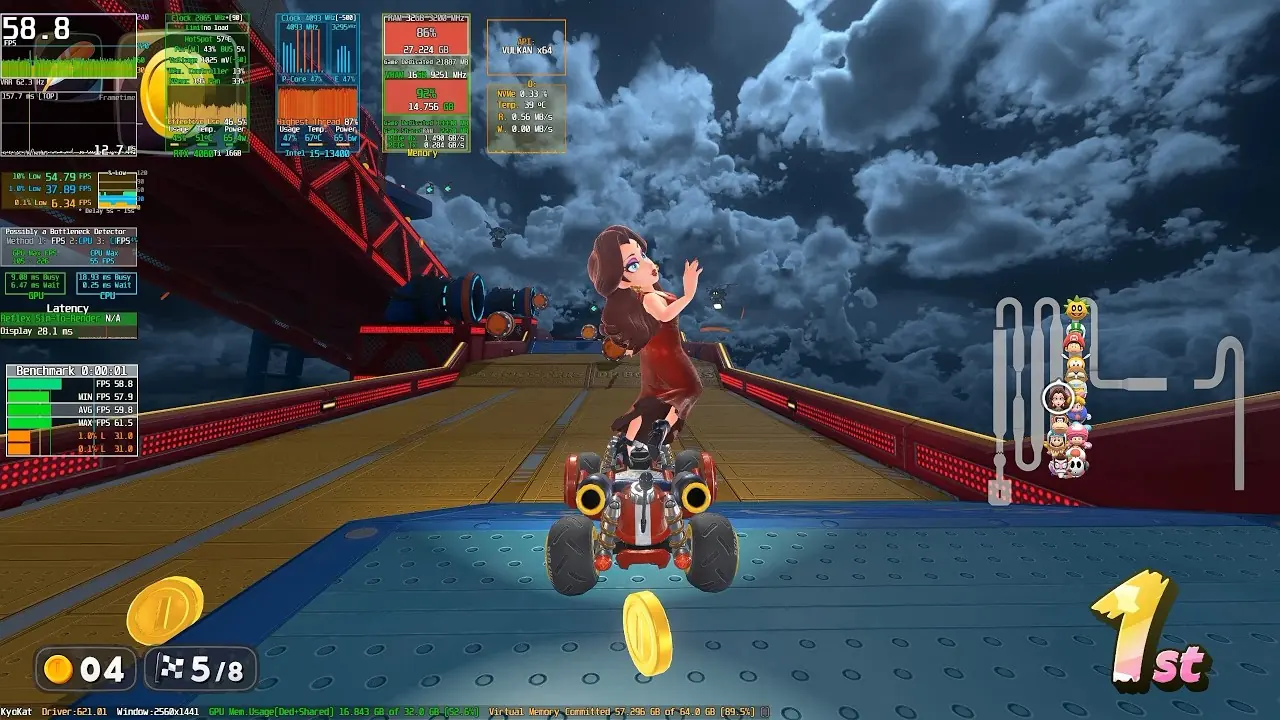
Video
Channel video: Eglantine (Eden 2) PC Emulator Test 60 FPS Performance RTX 4060 Ti 16GB VRAM + i5-13400 32GB RAM. Nothing from YouTube loads until you press play.
Questions
Is there an Android or iOS build?
No apk or ipa file appears on the release list I checked. Banana Native is a separate Android port, not a file from this repository.
Where do the checksums come from?
GitHub exposes a SHA256 digest for all twelve assets in this snapshot. The table records those exact values; match both the file name and tag because experimental assets can be replaced.
Which Windows zip should I pick?
Use the MinGW PGO zip if you want the build that bundles DLLs. Use the MSVC zip if a PGO build shows graphical trouble. Install the Visual C++ redistributable for the MSVC zip.
Sources
Links from the same publisher count as one source; a community compilation counts as one source even when it contains many reports.
| Source | Status | Checked |
|---|---|---|
| Eglantine releases | Public page · 1 source | 2026-11-07 |
| Snapshot assets and SHA256 digests | Public page · 1 source | 2026-11-07 |
| Eglantine readme | Public page · 1 source | 2026-11-07 |
| User handbook | Public page · 1 source | 2026-11-07 |